
Table of contents
You know the drill.
You record a podcast, webinar, sales call, demo, coaching call, whatever.
Then you open an AI tool and ask it to make clips.
The tool gives you something clean. Maybe even impressive for five seconds. Ten hook ideas. A few LinkedIn posts. A short-form script. Some captions. A neat little content package.
And still, something feels off.
The clip sounds like it could belong to anyone. The post has that weird smooth AI smell. The good part of the conversation is missing. The buyer question that actually mattered is buried somewhere in the middle, while the output talks about “unlocking growth” like it just escaped a software landing page.
Annoying.
But tools only work with what they are given. Most of the time, the input is just too thin.
If you feed AI a raw transcript and nothing else, it has to guess what matters. It guesses the obvious line. It grabs the sentence that sounds smart. It turns a real expert conversation into average content because you gave it average context.
So before you ask for clips, posts, emails, or blog sections, build the input layer.
That is where the useful repurposing starts.
AI Repurposing Starts Before Editing
Most teams treat repurposing like a cleanup step.
Record first. Publish long-form. Then send the recording to AI or an editor and ask for “content from this.”
That can work when the source is very clear and the team already knows the audience. But for most expert-led businesses, it creates a pile of nice-looking content with weak business logic.
A clip can be well edited and still useless.
It can have captions, a sharp crop, fast pacing, and a decent hook. If it pulls the wrong moment, attracts the wrong viewer, or ends with no next step, it is still just movement on a screen.
This is why a content repurposing workflow should start before the timeline. First choose the right source. Then decide which moments matter. Then decide what each output should do.
Editing comes after judgment.
Tiny sentence. Big difference.
A Transcript Is Only The Floor
A transcript tells AI what was said.
It does not tell AI why it matters.
It does not know whether the person speaking is answering a buyer objection, teaching a beginner concept, sharing proof, handling a pricing worry, explaining a product workflow, or rambling because the episode needed another ten minutes.
So yes, give AI the transcript. But do not stop there.
A useful input pack should also include:
- the source type,
- the target buyer,
- the main belief you want to shift,
- the strongest proof or example,
- the objections hiding inside the recording,
- the platform job,
- the next step after the viewer watches,
- and the parts that should stay private.
This is not busywork. It is the difference between “make me content” and “help me turn this source into something a buyer can use.”
That matters even more now because AI content is everywhere. HubSpot’s 2026 State of Marketing says AI is already part of normal content and media workflows for many marketers. Everyone has AI now. The real advantage goes to the team feeding it better judgment.
Source Type Changes The Job
One mistake I see a lot: treating every long recording like the same blob.
Podcast episode. Webinar. Sales call. Customer interview. Product demo. Internal training. All dumped into the same workflow.
Bad idea.
Each source has a different job.
A webinar usually has teaching density. It can become framework clips, how-to posts, email lessons, and article sections. The input should tell AI what the framework is and where the most useful teaching moments happen.
A sales call has buyer language. The gold is often in the question, not in the answer. If you want to go deeper on that, read turning sales calls into content. The input should include the objection, the worry behind it, and the way you answered without sounding like a pitch robot.
A customer interview carries proof. It can become trust-building clips, proof blocks, case study notes, and sales enablement material. But the input needs to say what is approved, what is anonymous, and which outcome is safe to mention. See customer interviews into content for that workflow.
A podcast episode is often wide. Good for reach and thought leadership, but easy to clip badly because the best business moment may not be the most entertaining moment.
A coaching call or workshop can be packed with buyer questions. But it may also contain personal context, client details, or messy live thinking. The boundaries matter.
Same AI. Same editor. Different source job.
If you skip this part, AI will usually optimize for the easiest thing to summarize. Not the thing your buyer needed to hear.
Feed Buyer Context Before You Ask For Clips
This is where the output starts to feel less generic.
Do not just say, “Make LinkedIn clips for B2B founders.”
Say who the clip is for.
For example:
“Founder of a small consulting business with 20 to 100 long-form videos. They know their content has value, but they keep posting random clips and cannot tell which ones move buyers closer to a conversation.”
That gives the system a real person to aim at.
Then add the buyer’s current belief.
Maybe they believe more clips means more results. Maybe they believe short-form content is only for awareness. Maybe they think their archive is too messy to use. Maybe they are afraid that AI repurposing will make them sound generic.
Now the clip has a job. It can shift that belief.
This connects directly to B2B video content repurposing. B2B clips are not only there to look active. They should help the right person understand the problem, trust your point of view, and take a sensible next step.
That next step might be a deeper article. A tool. A newsletter. A call. A private Clip Opportunity Map.
But give the system the path.
Otherwise it just makes content that ends.
Add Objections, Proof, And The Next Step
If you only feed AI the topic, it writes topic content.
If you feed it objections and proof, it can make buyer content.
Big difference.
For each source, write down two or three objections that show up around the topic.
For ContentFries, that might be:
- “We already tried posting clips and nothing happened.”
- “Our long videos are too messy to repurpose.”
- “AI clips will make us sound like everyone else.”
- “We need better content, but we do not have time for a big content machine.”
Now add proof.
Proof does not always mean a giant case study. It can be a customer quote. A repeated pattern from calls. A screenshot you are allowed to use. A before and after. A specific internal observation. A moment from the source where the expert explains the thing better than your website does.
Then add the next step.
What should a viewer do after this clip?
Click through to a content repurposing plan? Check what to repurpose first? Look at the post-watch gap? Try the free Clip Opportunity Map?
Not every clip needs a hard pitch. Please no.
But it should not leave the right person floating around with nowhere useful to go.
Tell The System What To Ignore
This part saves headaches.
Before you send a source into AI, write the anti-content list.
What should never become public content?
Client names. Revenue numbers. Internal prices. Roadmap details. Team comments. Personal stories. Anything said under a private coaching context. Anything that sounds clever in the room but would be misleading without the full conversation.
AI does not understand your boundaries unless you give them.
Same with editorial boundaries.
Maybe you do not want cheap viral angles. Maybe you do not want “hot take” framing. Maybe you do not want clips that attract freebie seekers. Maybe you do not want to make the customer look bad, even if their before-state is useful.
Write it down.
That list is part of the input.
It also makes your team better over time. People start noticing what is usable, what is sensitive, and what needs a human pass before it goes anywhere.
The Nine-Line Input Pack
Here is the practical bit.
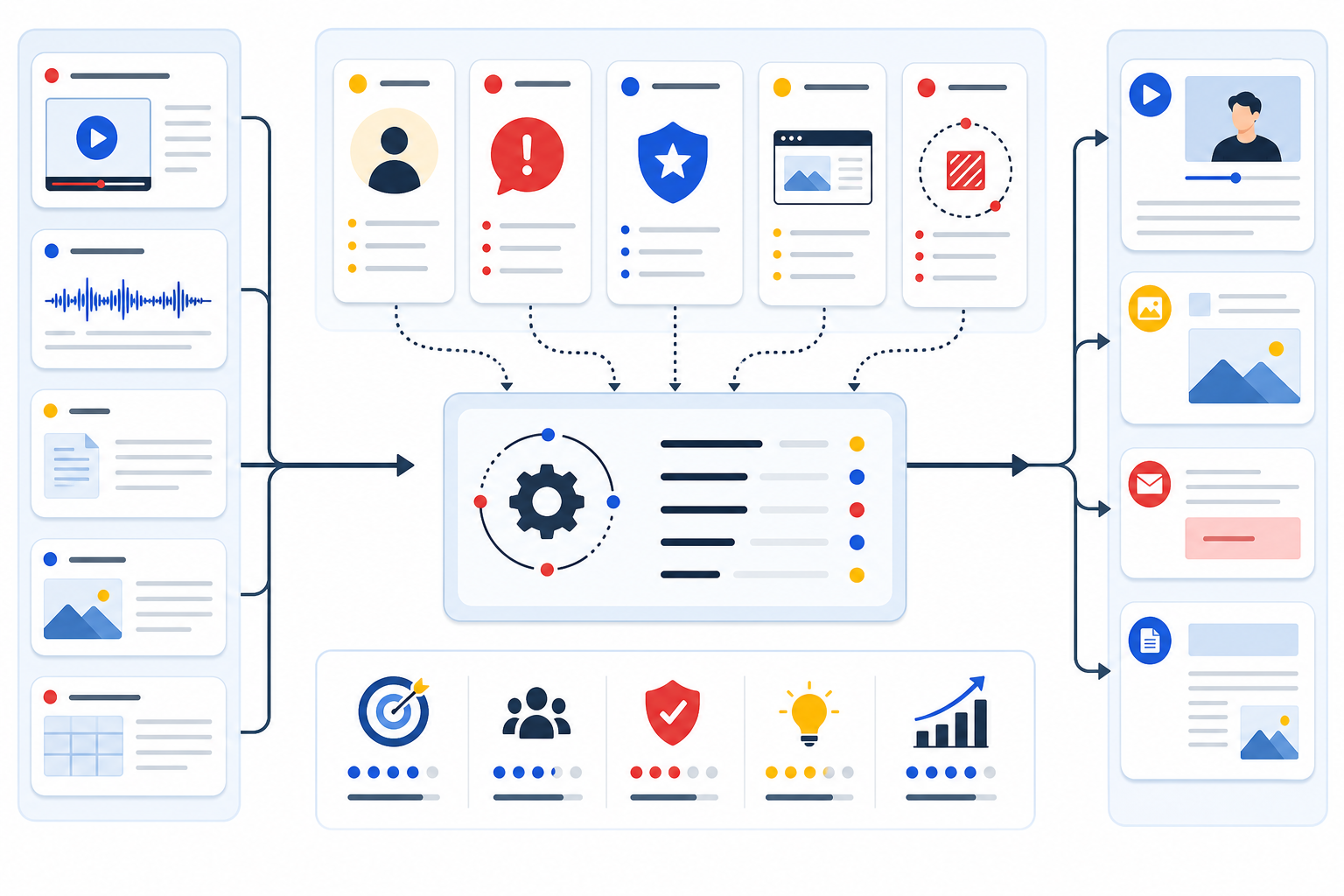
Before you ask AI or an editor to repurpose a source, fill this out:
- Source: what was recorded, format, length, and why it exists.
- Target buyer: who this is for, in plain words.
- Current belief: what they probably think before watching.
- Desired shift: what they should understand after watching.
- Key moments: two or three timestamps worth checking first.
- Objections: the buyer worries this content should answer.
- Proof: examples, numbers, patterns, quotes, or evidence you can safely use.
- Platform job: what this output should do on LinkedIn, Shorts, email, blog, or your website.
- Anti-content: what to avoid, hide, anonymize, or never mention.
That is it.
Nine lines.
You can write it in five minutes. It will usually improve the output more than another clever prompt.
And if you are building a larger video content repurposing strategy, this input pack becomes the habit that keeps the whole thing from turning into random content volume.
A Simple Example
Say you have a 50-minute webinar about turning expert videos into buyer-relevant clips.
A weak input would be:
“Make 10 clips and 5 LinkedIn posts from this transcript.”
You will get something. It may even be usable after edits. But it will probably chase obvious moments.
A stronger input:
Source: 50-minute webinar for consultants and B2B educators.
Target buyer: expert-led business with a backlog of webinars, podcasts, and sales calls.
Current belief: “If we just make more clips, eventually some will work.”
Desired shift: “We should score source moments first, then clip the ones tied to proof, buyer pain, or a useful next step.”
Key moments: 08:40 explains random clipping. 19:15 shows the source scoring framework. 33:20 gives a client-safe example.
Objections: “This sounds like more work.” “Our content is too messy.” “AI should be able to find the best parts alone.”
Proof: if you have a real poll, quote, or pattern from the webinar, include it here. For example, “most attendees said they already had long-form material but did not know what to repurpose first.”
Platform job: LinkedIn clip should shift belief. Blog section should explain the workflow. Email should invite readers to audit one source.
Anti-content: no attendee names, no private chat comments, no made-up client claims, no viral-hack framing.
Now the AI has something to work with.
It can still be wrong. You still need taste. But the first output will be closer to useful.
Why This Helps SEO Too
Google’s AI content guidance is pretty clear: the method matters less than whether the content is helpful, reliable, and made for people.
Google’s newer AI search optimization guide says the same boring-but-true thing in a newer wrapper. Useful, unique, people-first content still matters. Technical structure still matters. Relevant images and video can help. Hacks are not the plan.
Input-first repurposing fits that.
When you feed AI real source context, buyer objections, proof, and your own point of view, the output has a better chance of being specific. It can carry actual experience instead of recycled advice.
Wistia’s 2026 State of Video points to a pressure many teams feel right now: more demand for video, tighter or flatter budgets, and a need to get more mileage from what already exists.
So yes, long-form to short-form matters. YouTube has guidance on adapting long-form content into Shorts, and that is a useful format play.
But the quality question stays the same:
What did you feed the system before asking it to create?
Map Before You Multiply
ContentFries is built around this idea: map the source before you multiply it.
The free Clip Opportunity Map looks at your long videos and helps identify which moments are worth repurposing first. Not every good sentence deserves a clip. Some moments build trust. Some answer buyer objections. Some help your main video perform better because the title, thumbnail, or angle needs work.
Yummy side-effect.
If you want help turning source material into a real weekly content system, the content repurposing service is the more hands-on path.
But even if you do nothing with ContentFries today, try the nine-line input pack on one recording.
One recording. Five minutes.
Before you ask for clips, feed the system the judgment.
That is where the good content usually starts.