
Table of contents
Content Repurposing Workflow At A Glance
Workflow And Content Batching Are Different Jobs
Step 1: Start With One Buyer Job
Step 2: Choose The Source Before The Format
Step 3: Map A Small, Distinct Content Batch
Step 5: Review Every Asset Against The Source
Step 6: Move Approved Work Into Planning And Publishing
Step 7: Measure A Useful Signal
A Weekly Content Batching Template
How ContentFries Fits The Workflow
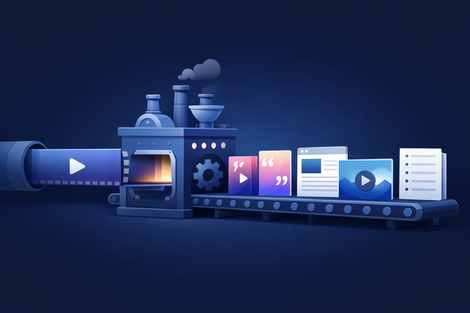
A content repurposing workflow is the set of decisions that takes one useful source from recording to published assets.
For an expert-led business, the practical version looks like this:
- Choose one buyer question.
- Pick a source that answers it with enough detail or proof.
- Map a small set of distinct assets.
- Create drafts in batches.
- Review every draft against the source.
- Move approved work into planning and publishing.
- Measure what helped the right people take the next step.
That is the whole system. Tools can speed up several stages, but they should not blur the difference between a generated draft and something you decided to publish.
Content Repurposing Workflow At A Glance
| Stage | Decision | Useful output |
|---|---|---|
| Buyer job | What should the audience understand, trust, or do? | One clear campaign job |
| Source | Which recording contains the strongest answer or proof? | One podcast, webinar, interview, lesson, demo, or founder video |
| Asset map | Which formats make different parts easier to consume? | A small mix of clips, posts, visuals, blog material, emails, or thumbnails |
| Production | Which tasks can be completed together? | Drafts created in format-specific batches |
| Review | Is each draft accurate, useful, distinct, and complete? | Approve, revise, skip, or reject |
| Distribution | Where and when should approved work go live? | Scheduled posts and published URLs |
| Learning | Did the content create a useful buyer or product signal? | The next source, angle, or format decision |
If your archive is large, use the source-selection scorecard before you open an editor. A weak source stays weak even when automation produces more files from it.
Workflow And Content Batching Are Different Jobs
Content batching means grouping similar production tasks. You might select all clips in one block, write all post openings in another, and review the batch together later.
The workflow is wider. It defines why the assets exist, which source they came from, who reviews them, how they move into distribution, and what happens after publication.
You need both.
Batching without a workflow can create a larger review queue. A workflow without batching can leave you switching between recording, editing, writing, design, and scheduling all day.
For a solo consultant, coach, educator, founder, or video podcaster, the useful unit is usually a small campaign around one buyer job. A smaller set of distinct drafts is easier to review than many variations of the same point.
Step 1: Start With One Buyer Job
Before choosing formats, finish this sentence:
After seeing this content, the right buyer should understand __.
Good answers are specific:
- why your method starts with diagnosis,
- what changes when a team fixes its review process,
- how to choose between a service and software,
- what an expensive mistake looks like before it happens,
- or why a common objection deserves a more careful answer.
“Stay visible” is too broad. “Help a consultant see why ten generic clips will not replace one clear proof moment” gives you something you can edit and review against.
One source can support several jobs, but each asset should have one primary job. This keeps the batch from becoming a row of near-duplicates.
Step 2: Choose The Source Before The Format
Look for a recording with useful reasoning, examples, stories, objections, or a process people can follow.
Strong sources often include:
- a podcast answer that makes sense outside the full episode,
- a webinar section that solves one buyer problem,
- a coaching or consulting explanation you are allowed to reuse,
- a product demo that shows why a decision matters,
- a lesson with a clear framework,
- or a founder video with a real operational example.

Check the context around every promising moment. A clean sentence can become misleading when you remove the condition that came before it.
If you are repurposing a webinar, the guide to turning a webinar recording into sales content gives you a source-specific example. If the source is a podcast, use the same principle: choose moments that carry a useful idea, not only moments with energy.
Step 3: Map A Small, Distinct Content Batch
Now decide what each source moment should become.
Do not start with “ten clips, five carousels, and three posts.” Start with the jobs inside the source.
One expert video might contain:
- a direct answer that works as a short clip,
- a process that needs a carousel or diagram,
- a buyer objection that deserves a plain text post,
- a detailed explanation that can become a blog section,
- a memorable sentence for a quote visual,
- and a promise that can guide the original video’s thumbnail.
You do not need every format every time. Keep the formats that make the source easier to understand or distribute. Drop the rest.
A simple asset map can fit in one table:
| Source moment | Buyer job | Format | Next step |
|---|---|---|---|
| Clear answer | Teach one distinction | Short clip | Read the detailed guide |
| Three-step method | Make the process reusable | Carousel | Save or share with the team |
| Real objection | Reduce purchase uncertainty | Text post | See the relevant offer or product |
| Detailed explanation | Capture search demand | Article section | Create a free account or continue reading |
This is also where you protect the campaign from repetition. If two drafts answer the same question in the same way, keep the stronger one.
Step 4: Produce By Task Type
Batch similar work together.
For example:
- Mark the useful source moments.
- Prepare all clip drafts.
- Draft the written angles.
- Create the visual assets.
- Add titles, captions, links, and campaign tracking.

This keeps you in one production mode for longer. It also makes quality differences easier to spot. When five openings sit next to each other, repeated language is obvious.
Automation is useful here. It can find candidate moments, prepare drafts, reframe video, apply subtitle styles, and create supporting assets. Treat those outputs as a head start. Names, numbers, buyer claims, technical details, and missing context still need a human check.
Step 5: Review Every Asset Against The Source
Review is part of production. Give each item an explicit state:
- Approve: accurate and useful as it stands.
- Revise: the direction is good, but the draft needs a specific fix.
- Skip: not useful for this campaign, without teaching a strong negative preference.
- Reject: wrong, generic, misleading, or not worth repairing.

For each draft, check:
- Does it preserve the meaning of the source?
- Can somebody understand it without watching the whole recording?
- Does it do a different job from the rest of the batch?
- Is every claim current and supportable?
- Does the next step make sense for this topic?
- Would you put your name on it?
This stage catches the most common content repurposing problems, including lost context, generic output, repetitive drafts, and a review backlog that quietly stops distribution.
A Small First-Party Receipt
One ContentFries dogfood run on July 29, 2026 prepared six social items: three static posts, two six-slide carousels, and one text post. It reused fifteen existing JPG assets, created no new visual renders, and used one Agent API command credit. All six items remained unreviewed, and the run made no Planner or external-publisher mutations.
That receipt proves something narrow but useful: production cost and state can stay visible while review and publishing remain separate. It does not prove the assets were accepted, that they came from one recording, or that they produced reach, leads, or sales.
Step 6: Move Approved Work Into Planning And Publishing
A generated draft is not approved. Approved work is not automatically scheduled. Scheduled work is not necessarily live.
Keep those states visible:
source → draft → review → approved → scheduled → published → measured
Record the intended channel, date, final URL, and campaign tag for every approved item. Then hand it to the scheduler, publishing tool, teammate, or agent responsible for distribution.
This gives you a clean answer when someone asks what happened to a draft. It also prevents an automation from treating file creation as completed marketing work.
Step 7: Measure A Useful Signal
Views can help diagnose distribution. They are not the only result that matters for an expert-led business.
Match the signal to the asset’s buyer job:
- A teaching clip might earn qualified profile visits or saves.
- An objection post might bring a useful reply or a visit to the relevant page.
- A search article might create impressions, clicks, free-account registrations, source submissions, or later product value.
- A proof asset might be reused in a sales conversation even when public reach is modest.
Keep the evidence modest. A small sample is a small sample. One successful post does not prove every source needs the same treatment.
At the end of the cycle, record three things:
- Which source moment deserved more distribution?
- Which draft was expensive to repair or easy to reject?
- Which buyer or product signal should influence the next batch?
That closes the loop. The next workflow starts with better evidence than the last one.
A Weekly Content Batching Template
You can run this workflow without turning every day into content production.
Source block
- Pick one buyer job.
- Choose one recording or archive moment.
- Mark the useful sections and the context each one needs.
Planning block
- Give every planned asset one job.
- Choose only the formats that fit the idea and channel.
- Set a maximum batch size you can actually review.
Production block
- Select all clips together.
- Draft written assets together.
- Create or reuse visuals together.
- Add final links and tracking before review.
Review block
- Approve, revise, skip, or reject each item.
- Check every factual claim against the source or current product truth.
- Move only approved work forward.
Distribution and learning block
- Schedule through the tool you already trust.
- Record the live URL and publication state.
- Review buyer, search, and product signals at a sensible interval.
- Carry one useful lesson into the next source choice.
If you want a narrower worked example, see how to turn one video into a week of content.
If you want to put the whole process into one reusable operating record, copy the content repurposing workflow template. It includes owners, source anchors, review decisions, claim checks, publishing handoff, and measurement fields.
How ContentFries Fits The Workflow
I built ContentFries for expert-led teams that already have useful long-form material but do not want every asset to become a separate project.
Content Multiplier, previously called the ContentFries Recipe, is the source-specific path. It can help create clips, AI thumbnails, quote visuals, blog ideas or sections, chapters, and related assets from one selected source. You still review what deserves refinement and export.
Auto Kitchen is the rollout-gated recurring layer. Where it is available, it prepares a reviewable multi-format batch using your source material plus audience, offer, voice, examples, brand context, and previous feedback. The first activation batch is sponsored. Every later batch receives a separate credit quote and starts only after explicit approval.
Review and Planner keep decisions and content state attached to the work. Auto Kitchen review uses four choices: Dislike, Skip for this batch, Like, and Amazing. Approved items can move into Planner. Planner records scheduled and published states while your external publisher, scheduler, teammate, or agent handles the actual publishing.
The current Content Multiplier guide explains the source-specific path in more detail.
Content Repurposing Workflow Checklist
Before production:
- One buyer job is clear.
- The source contains a strong answer, example, proof moment, or process.
- Every planned asset has a distinct purpose.
- The batch is small enough to review.
Before approval:
- The draft preserves the source meaning.
- Names, numbers, product details, and links are current.
- The asset works without missing context.
- The CTA fits the topic.
Before publication:
- The intended channel and owner are recorded.
- The final URL and campaign tracking are present.
- Approved, scheduled, and published are separate states.
- The signal you plan to review matches the asset’s job.
Frequently Asked Questions
What Is A Content Repurposing Workflow?
It is the repeatable path from a useful source to published derivative assets: buyer job, source selection, asset mapping, production, review, approval, distribution, and measurement.
What Is Content Batching?
Content batching groups similar work, such as selecting clips or drafting posts, into one production block. It is one part of the wider workflow.
How Many Assets Should One Video Produce?
There is no useful universal number. Produce the smallest batch that covers distinct buyer jobs and that you can review properly. A source with two strong moments may deserve two assets. A rich workshop may support a larger campaign.
Should A Repurposing Tool Publish Automatically?
Only if you intentionally authorize that publishing workflow. Many teams get a safer first result by separating generation, review, approval, scheduling, and publication. ContentFries Planner tracks state while external tools handle publishing.
Can This Work For A Solo Coach Or Consultant?
Yes. Keep the system small: one buyer question, one useful source, a few distinct formats, one review block, and a clear next step. A solo operator benefits most when the workflow removes repeated setup without creating a larger approval queue.
Try The Workflow With One Real Recording
Pick a webinar, podcast, lesson, interview, demo, or founder video that answers a buyer question you hear often.
Then create a free ContentFries account and use that source to build a small, reviewable batch.
Keep the first test honest. Judge the quality of the drafts, the repair work, and what you would actually publish. That tells you more than a large pile of generated files.