

Table of contents
You spend days on a video and about ten minutes on its thumbnail and title. Then you guess. If the video stalls, you never learn whether the packaging was the problem or the topic was.
YouTube has a built-in way to stop guessing. It is called Test & Compare, it lives in YouTube Studio, and it lets you run a real A/B test on thumbnails, titles, or both. This guide covers how to set it up, how YouTube picks the winner, and how to give it three variants that are worth testing.
All YouTube rules below come from YouTube Help: Test & compare thumbnails and titles (checked 1 November 2026). YouTube changes features often, so check the page if something in Studio looks different.
What Test & Compare does
You upload up to three versions of a video’s packaging. YouTube shows them to different viewers, measures how each one performs, and then shows the best one to everyone.
From YouTube’s help page: “Creators can test and compare up to 3 different titles and thumbnails.” You can test:
- Title only
- Thumbnail only
- Title and thumbnail (each option is a pair)
The last option is closest to how viewers decide: they see the thumbnail and the title together.
Who can use it
Check these before you start:
- Computer only. YouTube says the feature is “currently only available on computers through YouTube Studio.” You will not find it in the Studio mobile app.
- Advanced features on. “You need to enable advanced features to be eligible.” Check it in YouTube Studio under Settings, Channel, Feature eligibility (how advanced features work). Channels with enough history usually have them already; otherwise you can verify your identity with an ID or a video. The Test & Compare help page lists no subscriber minimum.
- Long-form videos. Shorts, scheduled lives and Premieres can’t be tested. A Premiere becomes eligible once it ends and turns into a regular video. Live archives can be tested.
- Not on these videos: made for kids, marked for mature audiences, or private. For age-restricted videos, YouTube says the test will not run.
How to set up a test, step by step
- Open YouTube Studio on a computer and sign in.
- Pick the video. For a new upload, click Create, then Upload videos. For an existing video, go to Content in the left menu and click the video.
- In the Title box or under Thumbnail, click A/B Testing.
- Choose Title only, Thumbnail only, or Title and thumbnail.
- Add up to three titles, thumbnails, or pairs.
- Click Done.
Put your best guess first. If the test ends without a clear winner, the first option you uploaded becomes the default.
Upload every thumbnail at 1280 x 720. YouTube says that if any thumbnail in the test is below 720p, all the test thumbnails are downscaled to 480p (854 x 480).
One warning: if you change the video’s title or thumbnail while the test runs, the test stops on its own and you have to start again. Set it and leave it.
How YouTube picks the winner: watch time, not CTR
This is the part most creators get wrong. Test & Compare does not pick the thumbnail with the highest click-through rate. It picks the one with the highest watch time share.
The help page says it directly: other testing tools “often only optimize for click-through rate,” while YouTube optimizes “for overall watch time over other metrics, like click-through-rate.” The title or combination with the highest watch time “will be shown to all viewers.”
Why this matters for you:
- Clickbait loses. A thumbnail can pull a lot of clicks and still lose the test if people leave early because the video is not what the packaging promised.
- An honest package can win with fewer clicks. If one option attracts fewer viewers who stay longer, it can beat a flashier option on total watch time.
- Your variants have to match the video. Every title and thumbnail you test should describe something the video actually delivers. You are testing different ways to sell the same promise, not different promises.
So when you write variants, ask “which of these would make the right person click and stay?” rather than “which of these gets the most clicks?”
How long to run it
YouTube says a test “can take a few days or up to 2 weeks to complete,” and that it “should be completed within two weeks.” You don’t pick a duration. YouTube ends the test when it has a result.
A video with more traffic gives YouTube more data to work with. On a small or slow video, expect the full two weeks, and be ready for a result that says no option clearly won.
If you need to, you can stop a test early: open the video’s Analytics, go to the Reach tab, and click Manage test under “How your A/B test is going.”
How to read the results
You will find results on the video’s Details page or in the Reach tab of its Analytics. There are three possible outcomes:
- Winner. One option “clearly outperformed the others based on watch time share,” and YouTube says it is sure the result is statistically significant. That option is shown to all viewers.
- Performed Same. All options did about the same. YouTube’s advice: “pick the option you prefer.”
- Inconclusive. “There was no strong statistical difference in engagement between your options.” The first title and thumbnail you uploaded becomes the default, and you can still switch to another one by hand.
Two details worth knowing. YouTube may keep a small share of traffic as a control group that only sees your default title and thumbnail, and that group is left out of the calculation. And YouTube says results for the same video can vary, because every real experiment has statistical noise and audiences change over time. Treat one test as evidence, not as a law for your channel.
“Performed Same” is still useful: your options were too close to matter, so next time push them further apart.
What makes three variants actually different
Most weak tests fail before they start. The creator makes one thumbnail, then a copy with a yellow background, then a copy with slightly bigger text. Viewers barely notice the difference, so YouTube can’t measure one, and the test comes back Inconclusive or Performed Same.
A useful test asks a bigger question. Each variant should take a different approach to the same video. Three approaches that are genuinely different from each other:
- Face and hook. Your face with a clear expression, plus a short line that raises a question.
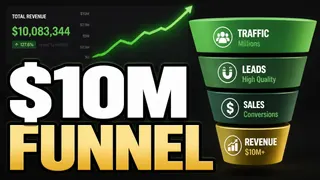
- Typography. A bold statement or number as the main element, with little imagery.
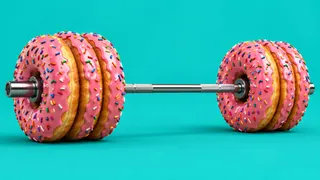
- Concept image. A picture of the idea, the strongest moment or the result, with no text at all.
Titles work the same way. “How I fixed my thumbnails” and “How I fixed my thumbnails (2026)” are not two titles. A curiosity title, a result title and a how-to title are.
If you test title and thumbnail pairs, write each title for its own thumbnail. The thumbnail should either stand on its own or add what the title leaves out, so the same point never lands twice.
When the options really differ, the result tells you something about your audience you can reuse on the next video: whether they respond to you on camera, to a bold claim, or to the idea itself.
Three variants from one link
The hard part of Test & Compare is not the setup. It is making three packages that are each worth a slot.
That is why we built the free YouTube thumbnail generator Thumbnail Factory. You paste a YouTube link. It watches the video, reads the transcript and takes your face from the video’s own frames, so there is no selfie to upload and no prompt to write. In about three minutes you get three thumbnail concepts at 1280 x 720, each a different approach to the video, and a matching title for each one. The goal is packaging like a top YouTube strategist made it, without hiring one.
One pack fills all three Test & Compare slots:
- Make a pack for the video you want to test and download the three thumbnails.
- In YouTube Studio, open the video, click A/B Testing and choose Title and thumbnail.
- Add each thumbnail with the title written for it. Put the one you like most first, then click Done and leave the video alone until YouTube reports a result.
If nobody is on camera in your video, Thumbnail Factory does not invent a face. It builds the concepts from the strongest moment, an object or a metaphor instead.
Each pack also runs the three concepts and your current thumbnail through a ten-rule thumbnail check, so you can see what each new option fixes. It is a checklist, not a prediction of how a thumbnail will perform. That part is the test’s job.
Your first pack is free, with no sign-up, no credit card and no watermark. It works on public or unlisted videos up to 45 minutes. More packs run on credits in a free ContentFries account: credits are bought once, they do not expire, and no subscription is needed.
Make three variants for your next test
Common mistakes
- Editing the title or thumbnail mid-test. It stops the test. Wait for the result.
- Testing near-identical options. Colour tweaks and font sizes rarely produce a clear winner. Change the approach, not the details.
- Judging by CTR. If you look only at click-through rate in Analytics, you may disagree with the winner. YouTube chose on watch time.
- Promising something the video doesn’t deliver. It may win clicks, but viewers leave, and the option loses on watch time.
- Putting your weakest option first. On an Inconclusive result, the first upload becomes the default.
- Uploading a small thumbnail. One thumbnail below 720p and every thumbnail in the test is shown at 480p.
- Calling it after one day. Let YouTube finish. Early numbers on small samples move around.
FAQ
Can you A/B test YouTube thumbnails on mobile?
No. YouTube says Test & Compare is currently only available on computers through YouTube Studio.
Can you A/B test YouTube titles, or only thumbnails?
Both. You can test titles only, thumbnails only, or title and thumbnail pairs, with up to three options per test.
How does YouTube choose the winning thumbnail?
By watch time share, not click-through rate. The option with the highest watch time wins and is then shown to all viewers.
How long does a Test & Compare test take?
YouTube says a few days up to two weeks. Videos with less traffic usually need longer.
What does “Inconclusive” mean in Test & Compare?
YouTube found no strong statistical difference between the options. The first title and thumbnail you uploaded becomes the default, and you can still change it by hand.
Do I need a minimum number of subscribers to use Test & Compare?
YouTube’s help page lists no subscriber minimum. You need advanced features turned on, and the video must be an eligible long-form video: not a Short, a scheduled live or Premiere, made for kids, mature, private or age-restricted.
Where do I get three thumbnails and titles to test?
You can design them yourself or paste the video’s link into Thumbnail Factory, which makes three different thumbnail concepts and three matching titles from the video in about three minutes. The first pack is free without sign-up.