
Table of contents
Find the smallest complete idea
Keep conditions attached to the advice
Bring the subject into the clip
Keep the strength of the evidence
Check what a join makes the speaker appear to say
Check the picture, subtitles, and title together
When the accurate version feels too long
An expert says, “For a small workshop where everyone can ask questions, start with an exercise.”
The clip starts two seconds later: “Start with an exercise.”
It sounds clean. It also gives different advice. A suggestion for a small, interactive workshop now sounds like a rule for every lesson.
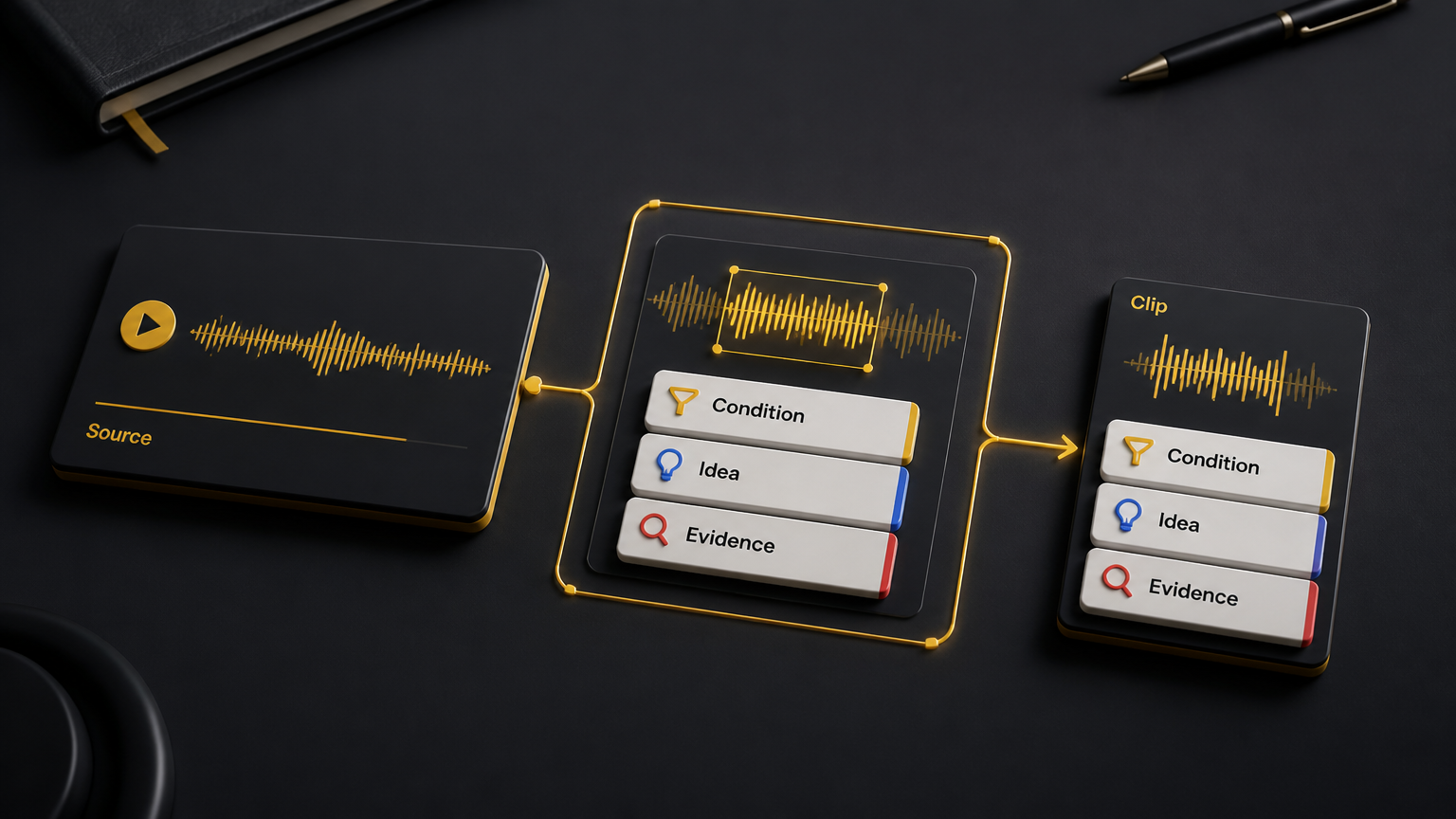
To cut expert video clips without losing context, keep the words that tell viewers who the advice applies to, when it applies, what the speaker means, and what supports the claim. Then check the finished video against the surrounding source.
This guide is for editors turning webinars, interviews, lessons, founder videos, and business podcasts into short clips. All transcript examples below are invented teaching examples. They do not describe customers or measured results.
Find the smallest complete idea
A sentence can be complete while the idea still depends on something outside the cut.
Before trimming a promising moment, listen to the question or setup before it and the explanation after it. Keep going until you can answer four questions:
| What to preserve | What the editor needs to know |
|---|---|
| The condition | Who does this apply to, and under what circumstances? |
| The subject | What do words such as “it,” “that,” and “they” refer to? |
| The support | Is this a suggestion, a demonstration, an observation, or a finding backed by evidence? |
| The limit | What exception, uncertainty, or correction changes how viewers should use it? |
Write a short note beside the source timecode:
This clip explains [point] for [audience or situation], based on [support], with [limit].
That note is for review. It does not need to become a title or voiceover. If you cannot fill it in, you have not found the boundaries of the idea yet.
For choosing which moments deserve editing at all, use the brand video clipping scorecard. Here, the job is to make one selected moment stand on its own.
Keep conditions attached to the advice
Listen for words such as “if,” “when,” “unless,” “for beginners,” and “in this example.” They can carry more meaning than the sentence that follows.
Illustrative source
“Before we move on, let me give you a teaching example. For a small workshop where everyone can ask questions, start with an exercise. For a large lecture, I would explain the method first.”
Misleading cut
“Start with an exercise.”
Better cut
“For a small workshop where everyone can ask questions, start with an exercise. For a large lecture, I would explain the method first.”
The better cut removes the introduction and keeps two consecutive source sentences. It preserves both the recommendation and the situation where the speaker would choose something else.
The editor has still shortened the recording. The useful saving came from removing the lead-in, not the boundary of the advice.
An accurate title would be “How to open a small interactive workshop.” “Always start with an exercise” would undo the repair before the viewer presses play.
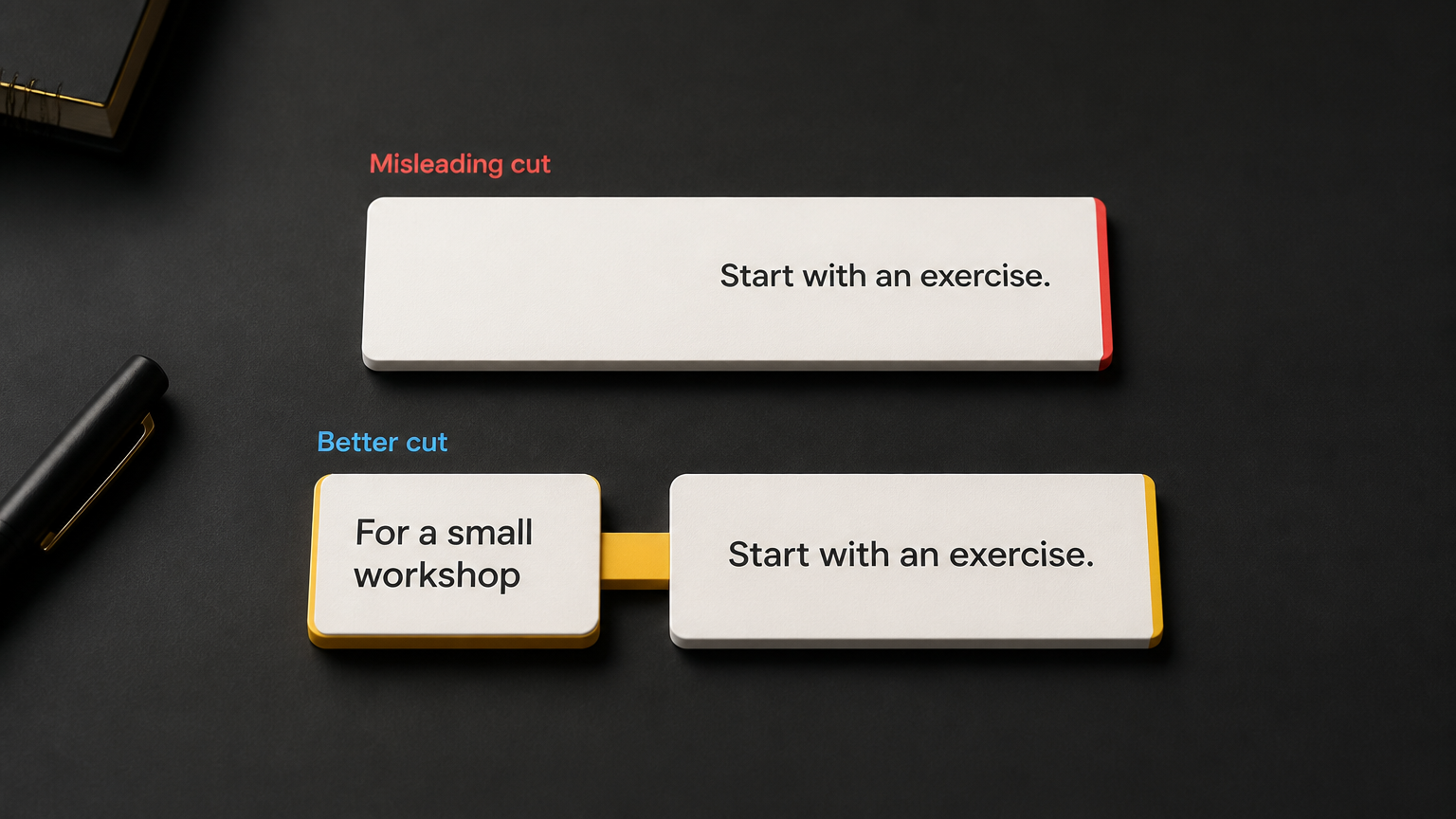
Simplified diagram of the edit. Keep the full qualification from the example above, including that everyone can ask questions.
Bring the subject into the clip
A clip that begins with “That is the problem” may make perfect sense to the editor who watched the whole recording. A new viewer has no such head start.
First try extending the cut to include the words that name the subject.
Illustrative source
“We let three people give conflicting final feedback on each draft. That is the problem. More editing time will not resolve who has the final say.”
Unclear cut
“That is the problem. More editing time will not resolve who has the final say.”
Better cut
“We let three people give conflicting final feedback on each draft. That is the problem. More editing time will not resolve who has the final say.”
Keeping the first sentence tells viewers what “that” means. It also keeps the claim about this feedback problem from sounding like a general argument against giving editors more time.
Sometimes the missing subject lives in a long interviewer question. Include the shortest part of that question that still identifies it. If that does not work, a brief editorial setup can help, but label it as added context.
Keep added explanation separate from subtitles of the speaker’s words. Do not rewrite “that” as “conflicting feedback” in a verbatim subtitle track when the speaker did not say it.
A setup can name the subject. It should not be used to excuse spoken advice that remains misleading on its own.
Keep the strength of the evidence
Watch for an edit that turns “we observed” into “this causes,” or “might help” into “will fix.”
Illustrative source
“In this practice session, the group asked fewer questions after we added a worked example. We also gave them a worksheet, so I cannot tell which change helped.”
Overstated cut
“The group asked fewer questions after we added a worked example.”
Better cut
“In this practice session, the group asked fewer questions after we added a worked example. We also gave them a worksheet, so I cannot tell which change helped.”
The shorter version loses the limited setting and the competing explanation. The better cut keeps an observation as an observation.
The title needs the same care. “What changed in one practice session” fits. “Worked examples eliminate confusion” adds a conclusion that the source never established.
If a clip includes real numbers, preserve enough information to explain what was counted, for whom, and over which period. Keep the evidence reference in the review notes. When the source cannot support the stronger interpretation, narrow the wording or choose another moment.
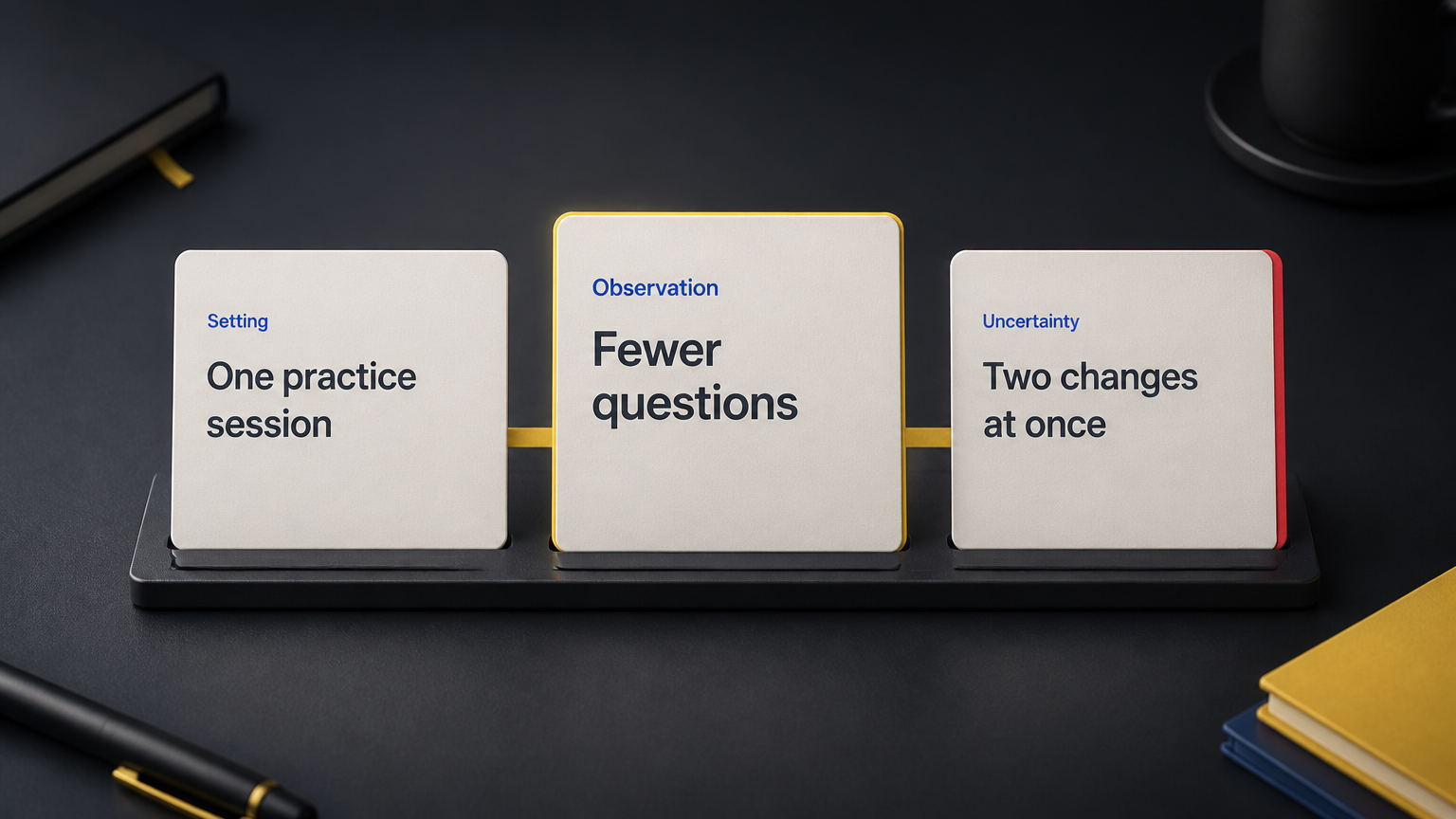
Keep the observation, setting, and uncertainty together so the clip does not imply a proven cause.
Check what a join makes the speaker appear to say
Two accurate quotes can form an inaccurate argument when joined.
Imagine an interview contains these two passages:
Earlier passage
“For a first internal draft, a rough example can be enough to start the discussion.”
Later passage, answering a different question
“Anything you publish under the client’s name needs their approval.”
An edit that joins “a rough example can be enough” to “anything you publish” blurs the difference between internal discussion and client publication.
For this material, make separate clips with their own setup. If a comparison needs both passages, identify them as separate excerpts and preserve the situation each answers. A visible jump cut alone does not explain a changed question.
At every join, ask:
- Did the speaker change topic, audience, or time period?
- Did a later sentence correct an earlier one?
- Does the new sequence imply a cause, agreement, or conclusion that the source did not?
- Have we made one person’s reaction look like a response to a different statement?
Replay the surrounding recording when the answer is unclear. A smooth transition is useful only after the meaning survives.
Check the picture, subtitles, and title together
Spoken words are only part of the finished clip.
A speaker may point to a diagram and say “use the option on the left.” A vertical crop that removes the options leaves the instruction incomplete. Include the relevant visual, use a readable view of it, or choose an explanation that names the options aloud.
Check these three places where an accurate cut can still go wrong:
Subtitles: Compare them with the audio. Check negatives, names, numbers, and qualifying words. A missing “not” reverses a sentence. Keep “may” when the speaker says “may.”
On-screen text: Keep editorial summaries visibly separate from spoken subtitles. Let the condition remain readable long enough to understand it. Tiny text in the corner is a poor home for the sentence that changes the advice.
Title and cover: Match the same audience, scope, and confidence as the clip. “A way to review a first draft” should not become “The only review process you need.”
Review once with sound and once without sound. The silent pass checks the visual message and subtitles. It does not replace checking them against the recording.
When the accurate version feels too long
Start with the complete explanation. Then remove greetings, repeated setup, pauses, and repeated wording that do not change the meaning or tone.
Protect uncertainty that matters. “I think” can be a verbal habit in one sentence and an important signal of judgment in another. Check its role before removing it.
If the cut still feels heavy, reduce the number of ideas:
| What makes it long | Useful editing decision |
|---|---|
| Two recommendations for different audiences | Make two clips, each with its own condition. |
| A long question before a short answer | Keep the necessary question setup or add clearly labelled context. |
| A demonstration that depends on a chart | Preserve the chart in a readable format or use a longer explanation. |
| Several exceptions that change the advice | Keep a longer clip or choose another moment. |
| A correction later in the recording | Include the correction or use the corrected explanation. |
Choose the length after finding the complete idea. If a short version requires viewers to watch the full episode to discover that the advice meant something else, keep working.
A full-episode link should offer depth. It should not carry the correction to a misleading clip.
Copy this context review checklist
Use this outside the editor in any document your team shares.
EXPERT CLIP CONTEXT CHECK

Source title or file:
Speaker:
Original question or topic:
Source timecodes, including separate excerpts:
Clip version:
Intended viewer:
One point the viewer should understand:

Protected meaning
[ ] The subject is named or clear from the included setup.
[ ] The audience and conditions remain attached to the advice.
[ ] Important uncertainty, exceptions, and corrections remain.
[ ] Observations and opinions have not become universal claims.
[ ] Numbers retain their necessary scope and evidence reference.
[ ] Separate excerpts do not imply a new argument or response.

Finished presentation
[ ] Every join has been checked against the surrounding source.
[ ] Necessary diagrams, gestures, or demonstrations remain clear.
[ ] Subtitles match the audio, including negatives and qualifiers.
[ ] Added context is distinct from the speaker's words.
[ ] The title and cover make no stronger claim than the clip.
[ ] The clip makes sense with sound and in its silent presentation.
[ ] A viewer can understand the point without opening another link.

Review result
Source meaning in one sentence:
Meaning of the finished clip in one sentence:
Difference that still needs fixing:
Decision: approve / revise / choose another moment
Reviewer and date:
For the final check, ask a reviewer who has not seen the recording to describe the clip’s advice, audience, and limits. Then compare that description with the source.
If they hear a broader promise, find the exact words or visuals that created it. Give the editor a concrete revision, such as “restore the sentence beginning ‘for a small workshop,’” instead of “add more context.”
For owners, handoffs, and the wider campaign record, use the content repurposing workflow template.
Try it on one recording
Choose one expert recording you are allowed to reuse. Pick a useful explanation, mark the words that carry its conditions, and make one draft clip. Run the checklist before making more versions.
For your next source in ContentFries, open the Content Multiplier guide. Keep this checklist beside the source as you review the output.
Your first test is simple: can a new viewer explain the same point, with the same limits, that the expert made in the full recording?